
Introduction
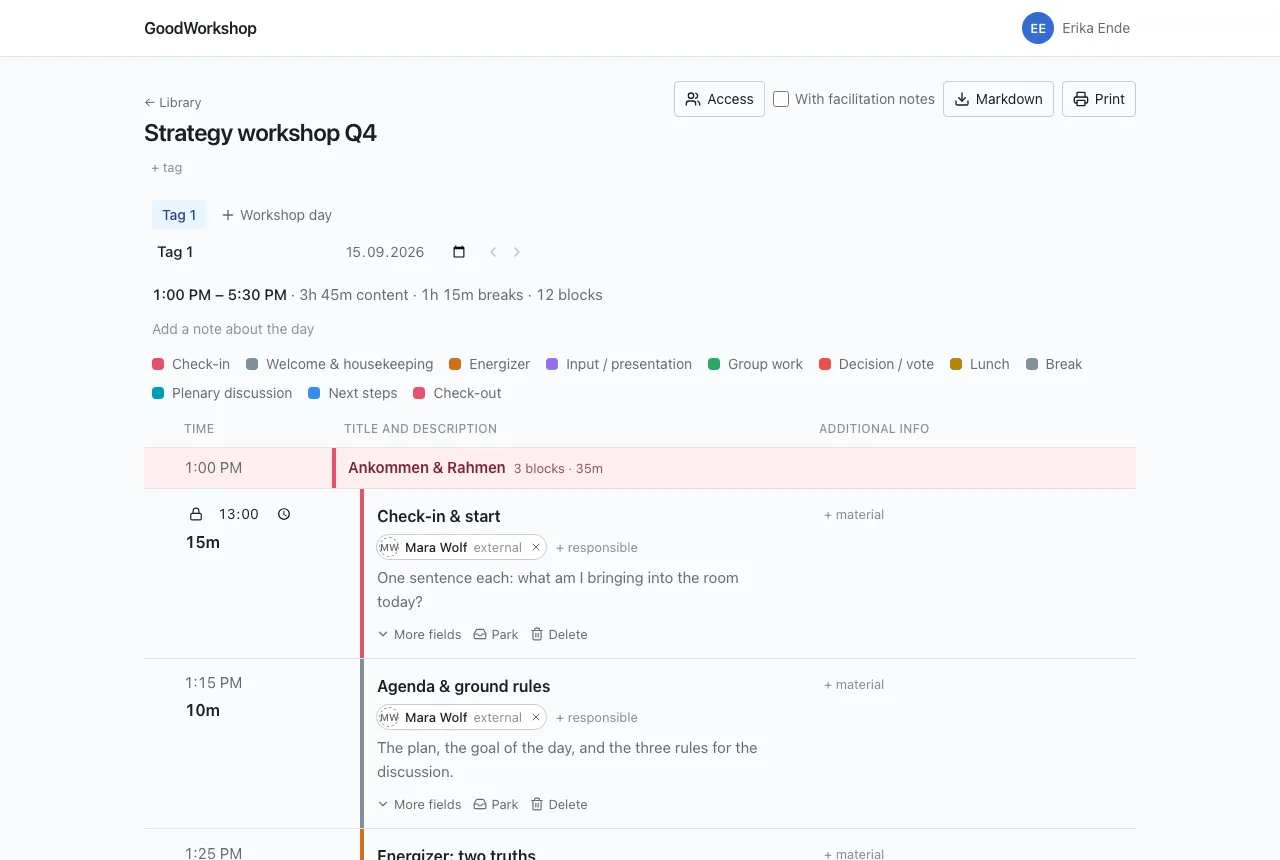
GoodWorkshop is a planner for workshop agendas. You add blocks with their durations, and GoodWorkshop works out the clock times. Move a block, and the whole day recalculates. Anything that must not move – lunch at 12:30 PM, the client meeting at 3:00 PM – you fix in place, and everything else arranges itself around it.
Who it is for
Section titled “Who it is for”GoodWorkshop is for people who prepare and run workshops: facilitators, trainers, moderators, internal teams. Everything you need in the room is right in the block’s row: format, materials, the people responsible and your facilitator notes, which only you can see.
What makes GoodWorkshop different
Section titled “What makes GoodWorkshop different”- The agenda does the math. Start times follow from the start of the day and the durations. The header shows how much content and how much break time the day has.
- Cut without losing. A block that no longer fits is parked instead of deleted – and can go back into the schedule on another day.
- Made for the room. The agenda works on a phone, survives bad Wi-Fi and lets your co-facilitator edit the same day at the same time.
- No password. You sign in with a passkey or a link by e-mail.
- With your AI. GoodWorkshop is itself an MCP server. Claude, ChatGPT or another assistant can create workshops and rework agendas.
- Your data stays yours. Every agenda can be exported as Markdown at any time.
- Four languages. German, English, French and Spanish. Everyone picks their own; what you write stays the way you wrote it.
Two editions, one product
Section titled “Two editions, one product”GoodWorkshop comes in two forms. Behind both is the same code: planning, sharing, printing, export and AI access work the same way in each.
| Community Edition | GoodWorkshop Cloud | |
|---|---|---|
| Operation | on your own server, with Docker and a Postgres database | by us, at goodworkshop.org, in the EU |
| Cost | free, including commercial use | per active member or per workshop, 14-day free trial |
| For whom | anyone who wants to run it themselves | businesses only |
| First sign-in | the first administrator, with the setup key from the server log | registration on the website |
| Cloud only | – | Discover (curated methods and designs), Support form, Billing |
Where a feature exists only in the cloud, the page says so right at the top.
Where to go next
Section titled “Where to go next”- Plan your first workshop – a finished agenda in a few steps.
- How GoodWorkshop is structured – folders, workshops, days, blocks.
- GoodWorkshop Cloud – if you don’t want to install anything.
- Installation – if you want to run it yourself.